
Download Stranger Video Call – prank app, video call prank, fun prank tool, Android prank software
Overview
Stranger Video Call is a free Android application developed by Noobsdeveloper, designed to simulate live video calls for entertainment purposes. The app enables users to create the illusion of an ongoing video call with a stranger, allowing them to play pranks on friends, family members, or colleagues. Its primary purpose is to deliver lighthearted, interactive humor by making others believe someone is contacting the user in real time. This can be used in social situations where users want to surprise others—such as pretending to receive a surprise gift notification or a mysterious call from an unknown person.
The software targets prank enthusiasts and individuals seeking playful, non-malicious ways to engage with others. It is particularly suited for casual users who enjoy social humor and light deception. The app requires only basic permissions, which suggests a minimal access footprint, enhancing user trust in its safety. While it does not provide technical details about performance or system requirements, its design focuses on simplicity and immediate usability. Real-world usage scenarios include office pranks, family gatherings, or casual hangouts where users want to create a moment of surprise and laughter.
Key Features & Capabilities
- Fake Video Call Simulation – Users can initiate a fake video call that appears identical to a real one, complete with a video feed and audio cues, making it convincing to onlookers.
- Simple One-Tap Prank Activation – The app is designed for quick access, allowing users to start a prank with minimal interaction, ideal for spontaneous moments.
- Minimal Permission Requirements – Only basic device permissions are needed, reducing concerns about privacy and data access.
- Realistic Call Interface – The interface mimics standard video call apps, including call timers, video frames, and visual feedback to enhance authenticity.
- Safe and Free to Use – The application is completely free and does not require in-app purchases or subscriptions.
These features enable users to craft believable scenarios—such as pretending to receive a surprise call from a long-lost friend or a mysterious gift delivery agent—adding an element of surprise to everyday interactions. The app’s functionality is limited to the prank simulation experience, with no actual communication or data transmission to external parties. It serves as a tool for social entertainment rather than a communication platform.
User Interface, Workflow & Performance
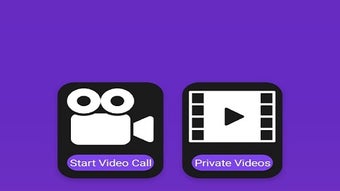
The user interface of Stranger Video Call is described as simple and intuitive, focusing on ease of use. Navigation is minimal, with core functions accessible through a single tap. The layout likely includes a main screen with a call simulation button, a video preview area, and basic controls such as end call or mute. The workflow is streamlined: launch the app, activate the prank, and engage with onlookers. No complex setup or configuration is required, making it accessible to users of all technical levels.
Performance details were not specified by the developer. However, based on the app’s purpose as a lightweight prank tool, it likely operates with minimal resource consumption. The developer did not provide information on CPU or RAM usage, nor did they mention stability under prolonged use. General software behavior patterns suggest it runs smoothly on modern Android devices, but exact performance metrics remain unknown. The app does not appear to involve background processes beyond the active prank session, which may contribute to efficient operation.
Compatibility & System Requirements
Stranger Video Call is designed for Android devices and is available for download on the Android platform. The specific version number and minimum OS requirements were not provided. Installation size is also unspecified. Compatibility information is limited to the platform, indicating it is intended for mobile Android users. The developer did not list exact hardware requirements or supported Android versions.
Users should ensure their device runs a current version of Android to minimize compatibility issues. The app’s reliance on basic permissions suggests it is optimized for a wide range of devices. However, without official system requirements, users are advised to test the app on their device to confirm functionality. The lack of detailed compatibility data means that performance on older or low-end devices cannot be confirmed.
Pros and Cons
Pros
- Completely free to download and use
- Simple, intuitive interface suitable for all users
- Minimal permissions required—enhances privacy safety
- Effective for creating believable prank scenarios
- Designed for quick, spontaneous use with one-tap activation
Cons
- No official system requirements or compatibility details provided
- Performance and resource usage were not specified
- Limited functionality focused solely on prank simulation
- Not suitable for actual communication or video conferencing
- No updates or version history information available
FAQ Section
Is Stranger Video Call safe to use?
The app only requires basic permissions and does not collect or transmit user data. It is designed for entertainment and does not involve real communication, making it safe for casual use.
Can I use this app on any Android device?
While the app is intended for Android, specific compatibility details were not provided. It should work on most modern Android devices, but users are advised to test it on their device.
Does Stranger Video Call require an internet connection?
The app does not require an internet connection to simulate a video call. It operates offline using preloaded visuals and audio cues.
Is the app free to download and use?
Yes, Stranger Video Call is completely free to download and use with no in-app purchases or hidden fees.
Can I use this app for real video calls?
No. The app is designed exclusively for prank simulations and does not support actual video communication with other users.
Final Thoughts
Stranger Video Call offers a straightforward and entertaining way to play light-hearted pranks using a realistic video call simulation. Its minimal design, one-tap activation, and low permission footprint make it accessible and safe for casual users. While detailed technical information is limited, the app fulfills its intended purpose effectively within its niche. It is best suited for prank lovers, social humor enthusiasts, and those seeking fun ways to surprise friends and family. For users looking for a simple, free, and secure prank tool on Android, this application delivers a unique and engaging experience.
Download Stranger Video Call now






.png)
